
Billing, plans and licenses
Every new workspace starts with a free trial. Choose a plan before it ends to keep your workspace running.
Only the workspace Owner can see and change billing by default.
Your free trial
Your trial lasts 14 days, with every feature included. The banner at the top of Settings→Billing & Plans shows how many days are left. Add a payment method before it ends to keep access after your trial.
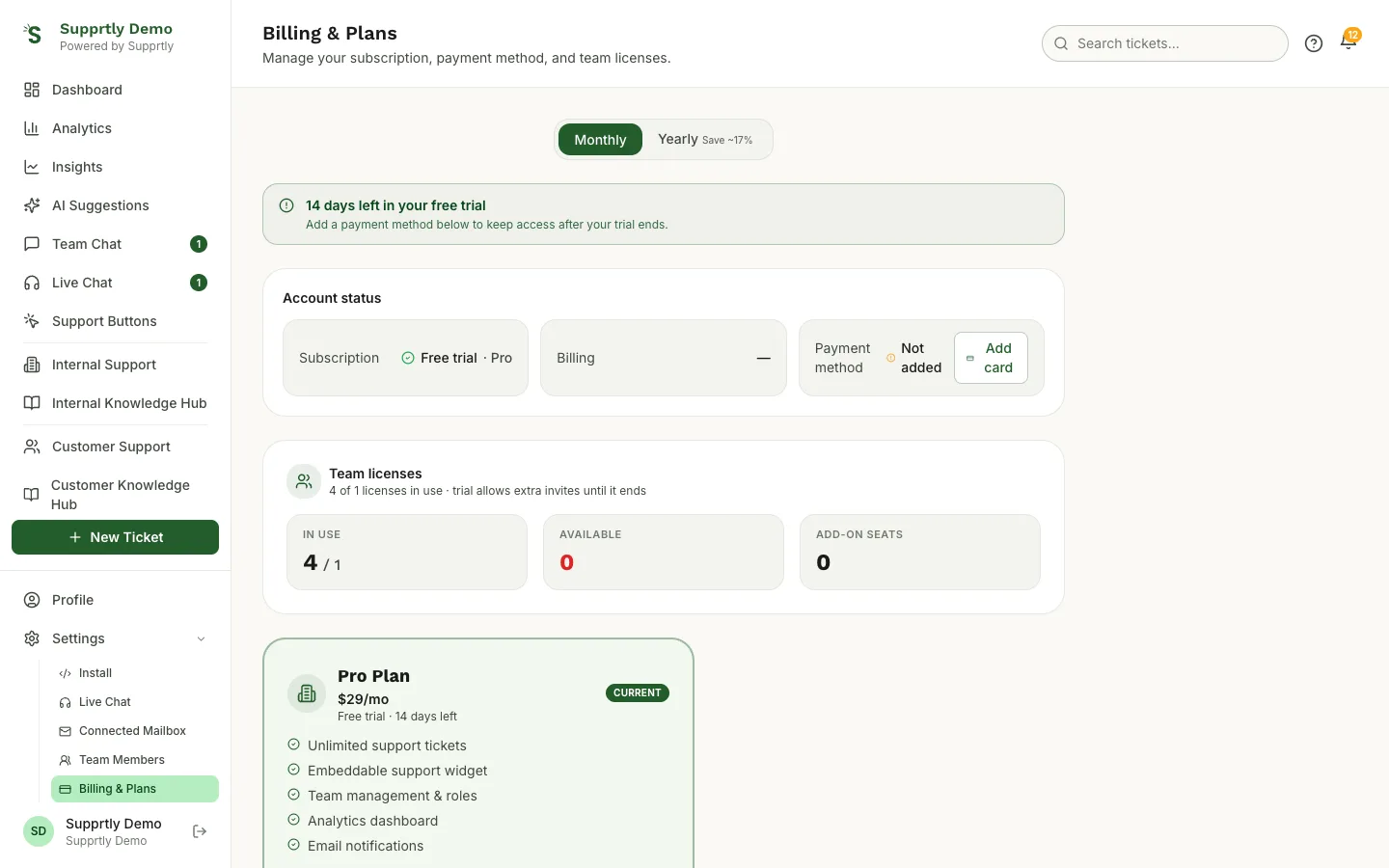
Choose a plan
- Pick Monthly or Yearly
Yearly billing costs less per month.
- Click the plan you want
You'll go to a secure checkout page to enter your card. Your plan starts as soon as payment goes through.
Team licenses
Each active team member uses one license. The Team licenses card shows licenses In use, Available and Add-on seats. Buy more when you need them; extra licenses are charged with your plan.
Payment, invoices and changes
The Account status card shows your subscription, billing cycle and payment method. From there you can update your card, download invoices, switch plans or cancel. Changes to a lower plan or fewer licenses take effect at the end of the current billing period.
Ready to set up your help desk?
Create your workspace and follow the steps above.