
Feature requests
Feature requests collect product ideas from customers and your team in one place. People can vote, you can reply, and popular ideas link straight to your roadmap.
Agents can review and update requests. Owners and Admins set up the widget.
The feature request board
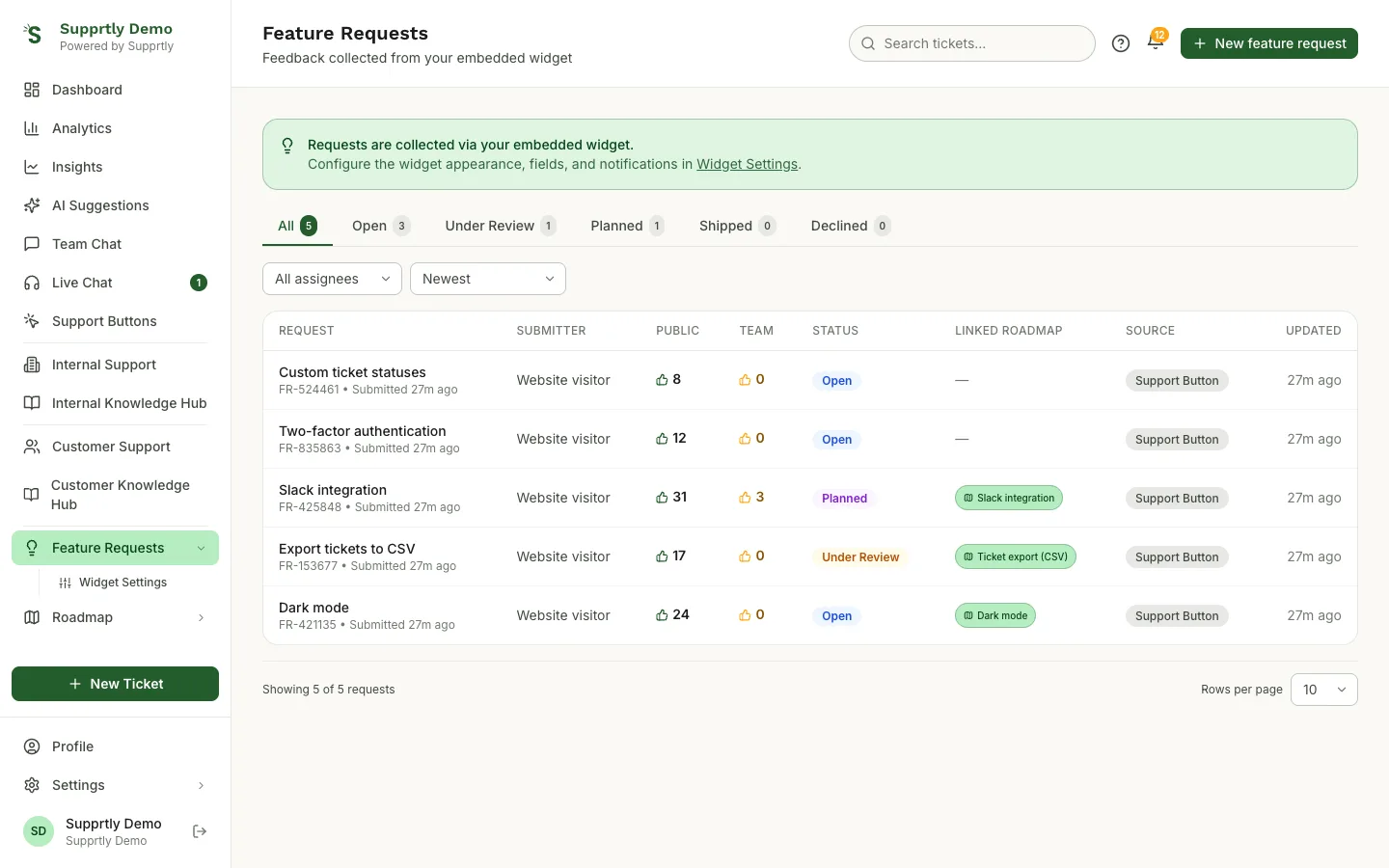
Requests come from the feature request widget, from support buttons with Feature request turned on, from your public roadmap page, and from your team (New feature request). Sort by Most votes, Newest or Recently updated.
Set up the feature request widget
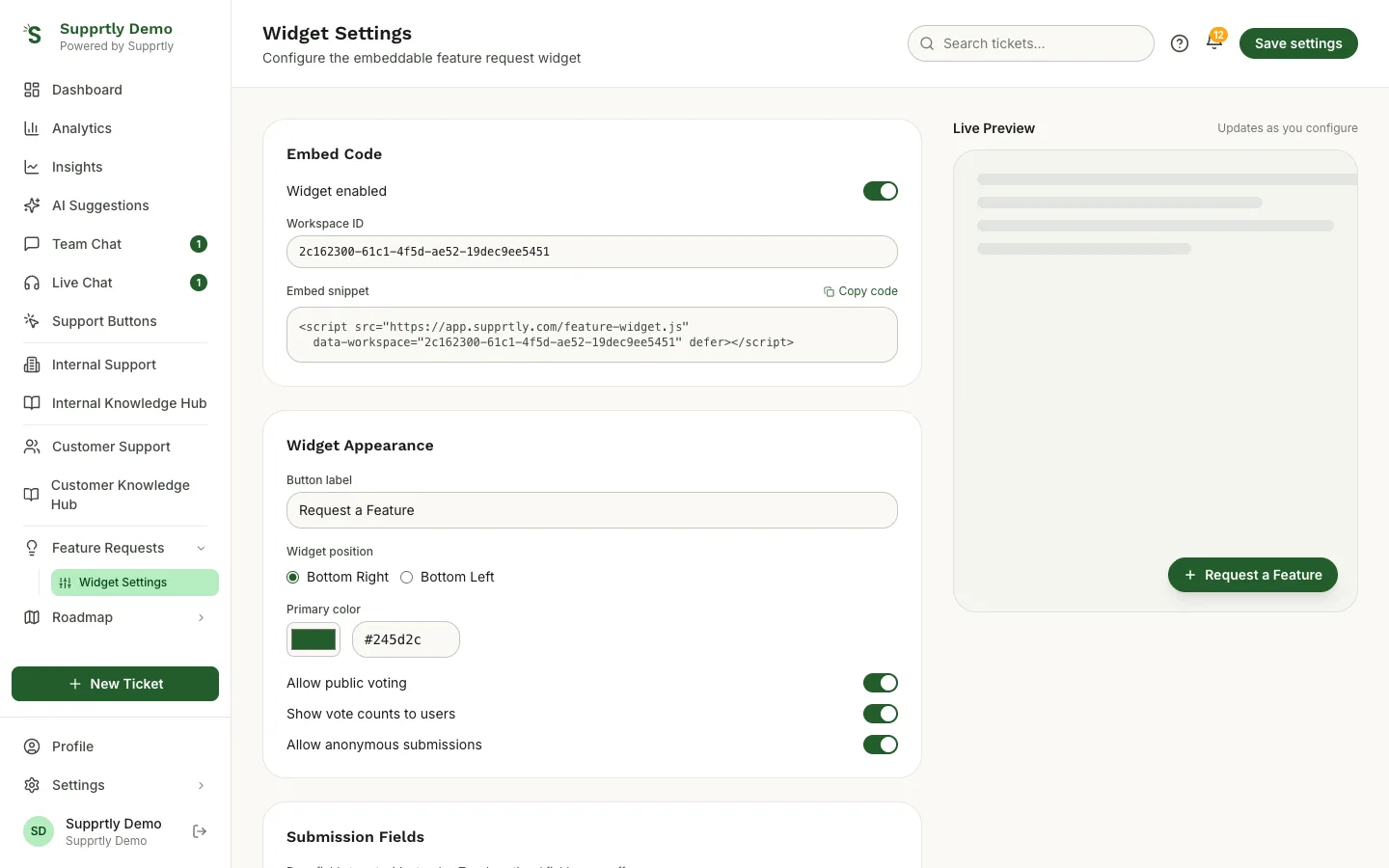
- Open Feature Requests → Widget Settings
Or click Widget Settings in the green banner on the Feature Requests page.
- Turn on Widget enabled
- Style the button
Set the button label (for example “Request a Feature”), position and color. The live preview shows the result.
- Choose voting and privacy options
Allow public voting Visitors can upvote existing ideas. Show vote counts to users Show how many votes each idea has. Allow anonymous submissions People can submit without giving an email. - Pick submission fields and save
Choose which fields the form shows, add custom fields and category options, then click Save settings.
- Add the embed code to your site
Copy the snippet from Embed Code and paste it before
</body>, like the support widget.
Review a request
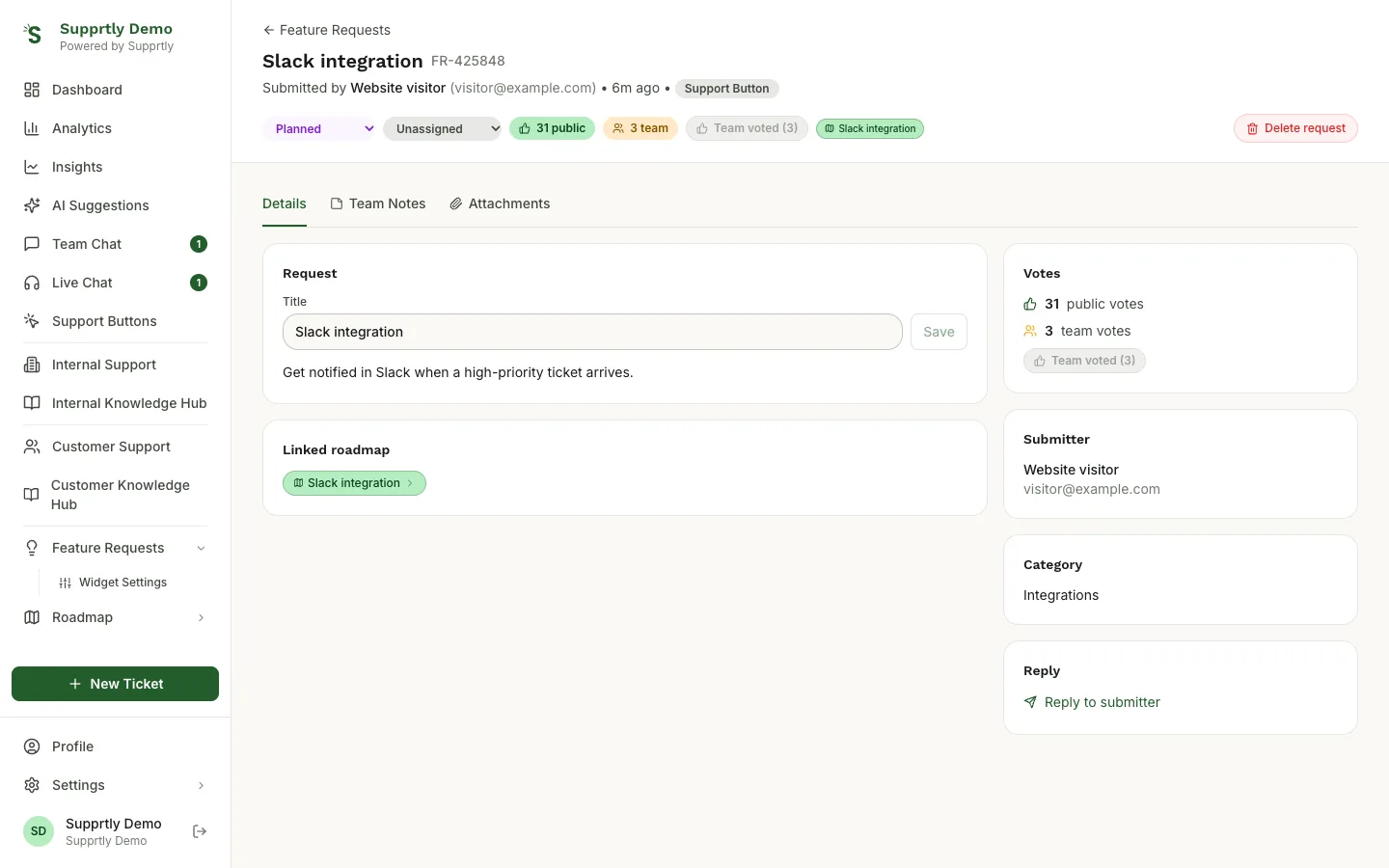
- Change the status and add tags at the top.
- See public and team votes separately, plus who submitted it and from where.
- Linked roadmap: connect the idea to a roadmap item so voters can follow progress.
- Reply to submitter: let them know you've read it or that it shipped.
- Use the Team Notes and Attachments tabs for internal discussion and files. Notes can be formatted and replied to in threads, as on tickets.
Statuses
| Open | New idea, not reviewed yet. |
| Under Review | Your team is considering it. |
| Planned | You've decided to build it. |
| Shipped | It's live. |
| Declined | You won't build it. Consider replying with the reason. |
Ready to set up your help desk?
Create your workspace and follow the steps above.